Network & servers
The hackerspace has its own isolated network, connected to the main FLC pfSense router over fibre through MikroTik switches on a dedicated VLAN.
The network
| Thing | Value |
|---|---|
| Network | 10.30.0.0/24 |
| Gateway / DNS | 10.30.0.1 (pfSense) |
| Infrastructure & servers | .2 – .10 (reserved, static) |
| DHCP clients | .50 – .200 |
| Free static range for your devices | .11 – .49 |
| Wi‑Fi | SSID Hackerspace (OpenWrt AP) — password: ask in the group |
| Main server | 10.30.0.10 — Ubuntu + Caddy, hosts *.flc.kitchen |
Isolation rules, as designed:
- Hackerspace devices have normal internet access but cannot initiate connections into the residents' FLC network.
- FLC residents can reach hackerspace servers at
.3–.10(SSH included). If you want your machine reachable from the FLC side, give it a static IP in that range; if you don't, use.11–.49or DHCP. - From the public internet, only the Caddy-served websites on
.10(ports 80/443) are exposed. A WireGuard VPN for members' remote access is planned.
The main server (10.30.0.10)
A compact 4-core box (Xeon E3-1245 v3, 32 GB ECC, with QuickSync — good for media transcoding). It's the machine that should always stay up: it runs Caddy (websites), the door bot, and other services. Experiment on other machines, not this one. Credentials: ask in the Telegram group.
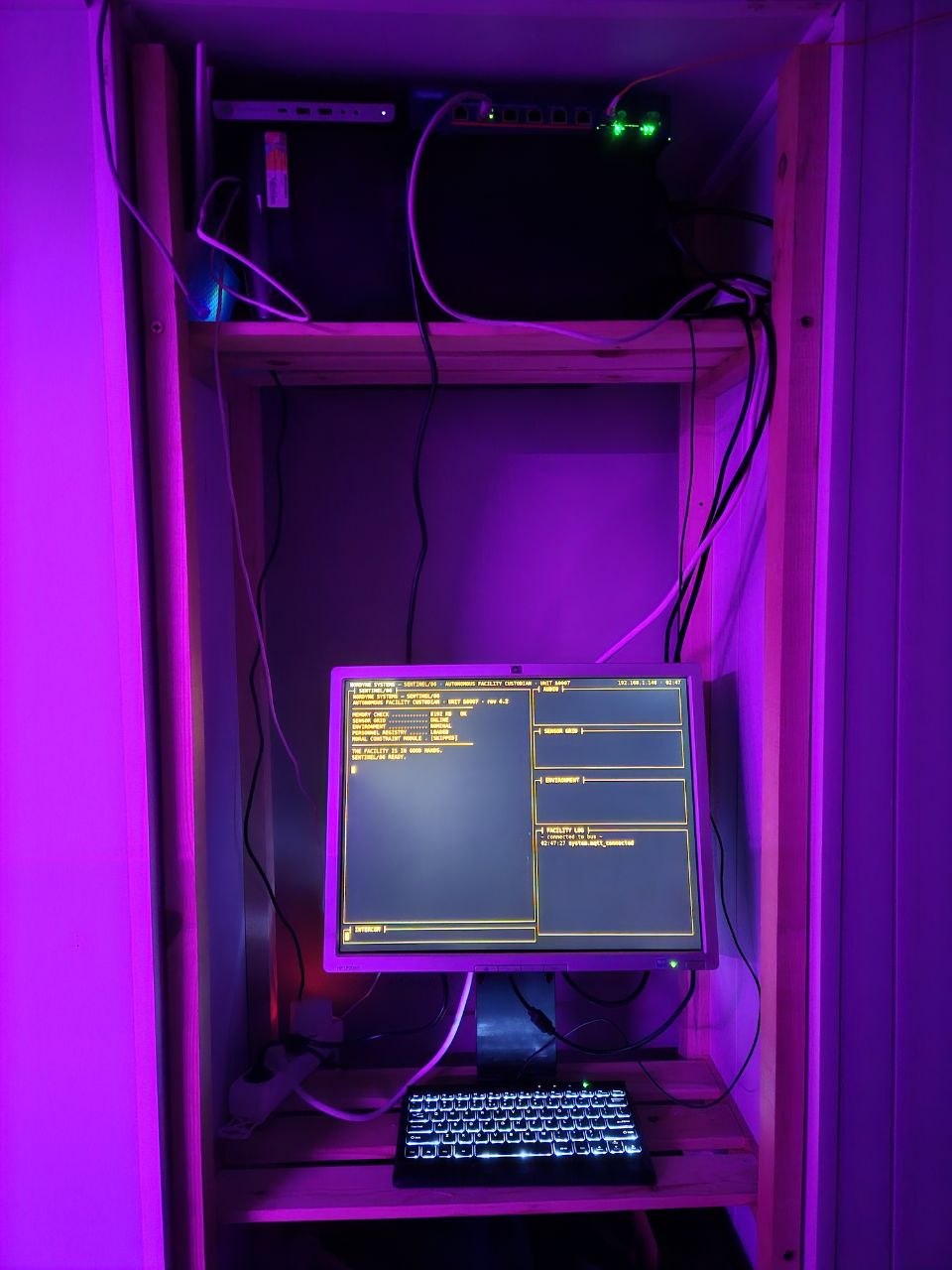
The server corner.
Hosting something on flc.kitchen
The space owns flc.kitchen with wildcard public DNS already configured —
any something.flc.kitchen can point at a machine or app in the space.
- SSH to the server (ask for access in the group).
- Add a Caddy site for
yourname.flc.kitchenpointing at static files or your app's local port. Caddy fetches the HTTPS certificate automatically. That's it — wildcard DNS for*.flc.kitchenalready works both publicly and inside FLC, so no DNS changes are needed.
To copy files up, SCP works anywhere SSH does — WinSCP on Windows gives you a two-pane Total-Commander-style view with zero server setup.
Live example: maxime.flc.kitchen. Email-related DNS (SPF/DKIM/TXT) is not
self-serve — ask David.
Media server
A Jellyfin server is planned/in progress on the hackerspace network, with a very large documentary library, watchable by the complex (client on the projector and TVs). Ask about its current state in the group.
Editing this documentation
This handbook lives on the main server and any member can edit it:
ssh root@10.30.0.10            # password: ask in the group
cd /srv/flc/docs-src
nano docs/some-page.md         # pages are plain Markdown
./deploy.sh                    # rebuilds the site + publishes it
deploy.sh runs MkDocs and updates docs.flc.kitchen
in a few seconds. Please commit your change afterwards so there's history:
git add -A && git commit -m "what you changed". The homepage
(flc.kitchen) is a single homepage/index.html in the
same folder — deploy.sh publishes that too.
Known quirks
- Speed over the fibre link measured ~200 Mbit at setup — being looked at.
- The internet was flaky in July 2026 (streaming suffered); the fibre link and Gnet work were the fix. If the printer says "no internet", it may just be on the wrong Wi‑Fi network — post in the group.